CI/CD Pipelines for Node.js
Automating testing and deployment using GitHub Actions and Docker.
CI/CD pipelines transform how Node.js developers build, test, and deploy applications by automating the entire software delivery process. This guide is designed for Node.js developers, DevOps engineers, and development teams who want to streamline their workflow and reduce deployment errors through automation.
Setting up effective CI/CD pipelines for Node.js requires understanding the right tools and techniques. We'll walk through the essential components you need to get started, including how to configure your development environment for seamless integration and testing. You'll also learn proven automated testing strategies that catch bugs early and build optimization techniques that keep your Node.js applications running fast in production.
By the end of this guide, you'll have a clear roadmap for implementing robust deployment strategies and monitoring systems that keep your applications healthy after they go live.
Essential Components of CI/CD for Node.js Applications
Version Control Integration with Git
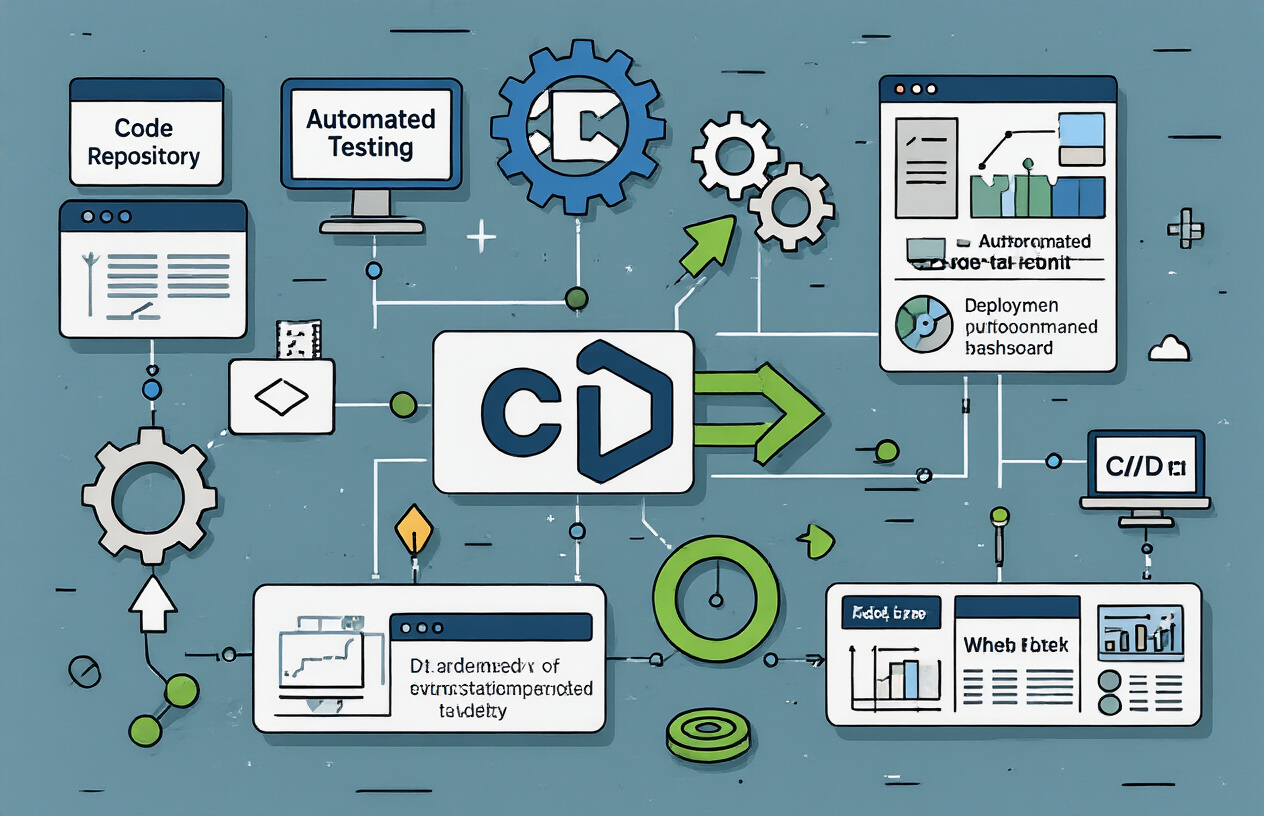
Git serves as the foundation of any robust Node.js CI/CD pipeline, acting as the trigger for your entire automation workflow. When developers push commits to specific branches, Git webhooks automatically notify your CI/CD platform to begin processing. The most effective setups use branch-based workflows where feature branches trigger testing pipelines, while main or production branches initiate full deployment sequences.
Setting up proper Git integration means configuring your repository with appropriate branch protection rules. Main branches should require pull request reviews and passing status checks before merging. This creates a safety net that prevents broken code from reaching production. Popular platforms like GitHub, GitLab, and Bitbucket offer built-in CI/CD features that seamlessly connect with your Node.js repositories through simple configuration files placed in your project root.
The key is establishing a clear branching strategy. Many teams adopt GitFlow or GitHub Flow, where feature development happens on separate branches, and only tested, reviewed code makes it to the main branch. This approach ensures your CI/CD pipeline has clean entry points and can reliably build and test your Node.js applications.
Automated Testing Framework Setup
Node.js applications benefit from a multi-layered testing approach that runs automatically within your CI/CD pipeline. Unit tests form the foundation, typically using frameworks like Jest, Mocha, or Vitest to validate individual functions and modules. These tests run fastest and catch basic logic errors early in the development cycle.
Integration tests verify that different parts of your application work together correctly. For Node.js APIs, this means testing endpoints with tools like Supertest or Playwright for web applications. Database connections, external API calls, and file system operations all need integration test coverage to ensure your application behaves correctly in realistic scenarios.
End-to-end testing completes the pyramid, using tools like Cypress, Puppeteer, or Playwright to simulate real user interactions. These tests take longer to run but provide confidence that your complete application workflow functions as expected. Smart CI/CD pipelines run unit tests on every commit, integration tests on pull requests, and end-to-end tests before production deployments.
Test configuration should include code coverage reporting with tools like NYC or Jest's built-in coverage features. Most teams set minimum coverage thresholds that must be met for builds to pass, typically around 80% for critical applications.
Build Process Configuration
Node.js build processes vary significantly depending on your application architecture. Single-page applications using frameworks like React, Vue, or Angular require bundling with tools like Webpack, Vite, or Parcel. Server-side applications might need TypeScript compilation, asset optimization, or dependency bundling for serverless deployments.
The build configuration should optimize for both development speed and production performance. Development builds prioritize fast compilation and detailed source maps for debugging, while production builds focus on minimization, tree-shaking, and asset optimization. Environment-specific configurations handle different database connections, API endpoints, and feature flags.
Docker containerization has become standard for Node.js applications, requiring Dockerfile optimization for both build speed and image size. Multi-stage builds separate the build environment from the runtime environment, resulting in smaller production images. The first stage installs development dependencies and builds the application, while the second stage copies only the necessary artifacts to a lean runtime image.
Build caching strategies significantly improve pipeline performance. Package managers like npm, yarn, and pnpm support lockfiles that enable reliable dependency caching. CI/CD platforms typically cache node_modules directories between builds, but proper cache invalidation when dependencies change remains important.
Deployment Pipeline Architecture
Effective Node.js deployment pipelines follow a progressive approach, moving code through increasingly production-like environments. Development deployments happen automatically from feature branches, allowing developers to test their changes in isolated environments. Staging deployments mirror production infrastructure and undergo comprehensive testing before release candidates advance.
Blue-green deployments minimize downtime by maintaining two identical production environments. While one serves live traffic, the other receives the new deployment. After verification, traffic switches to the updated environment. This approach works well for Node.js applications with stateless architectures or properly managed database migrations.
Rolling deployments gradually replace application instances with updated versions, maintaining service availability throughout the process. Container orchestration platforms like Kubernetes excel at rolling deployments, automatically managing health checks and rollback procedures if issues arise.
Database migration handling requires special attention in Node.js pipelines. Migrations should run before application deployments, with rollback procedures ready if deployments fail. Tools like Knex.js, Sequelize, or Prisma provide migration frameworks that integrate well with automated deployment processes.
Environment configuration management becomes critical across multiple deployment stages. Tools like dotenv for local development, combined with secure secret management systems for production, ensure sensitive data remains protected while maintaining deployment flexibility.
Setting Up Your Node.js CI/CD Environment

Choosing the Right CI/CD Platform
Picking the right CI/CD platform sets the foundation for your entire Node.js deployment pipeline. GitHub Actions offers seamless integration if you're already hosting your code on GitHub, with native npm support and a massive marketplace of pre-built actions. The free tier provides 2,000 minutes monthly for private repositories, making it perfect for smaller projects and startups
Jenkins remains a powerhouse for teams requiring extensive customization and control. While it demands more setup time, Jenkins excels in complex enterprise environments where specific security requirements and custom workflows are non-negotiable. The plugin ecosystem covers virtually every Node.js tool you'll need.
GitLab CI/CD shines with its built-in container registry and robust security scanning features. The YAML-based configuration keeps everything version-controlled alongside your code, and the integrated approach eliminates the need to juggle multiple tools.
CircleCI and Travis CI both offer excellent Node.js support with fast build times and simple configuration files. CircleCI's orbs system provides reusable configuration packages that can dramatically speed up your initial setup.
For teams using cloud-native architectures, cloud-specific solutions like AWS CodePipeline, Azure DevOps, or Google Cloud Build integrate naturally with their respective ecosystems, often providing cost advantages when you're already invested in those platforms.
| Platform | Best For | Node.js Support | Free Tier |
|---|---|---|---|
| GitHub Actions | GitHub users | Excellent | 2,000 minutes/month |
| Jenkins | Enterprise/Custom needs | Excellent | Self-hosted |
| GitLab CI/CD | Integrated DevOps | Excellent | 400 minutes/month |
| CircleCI | Speed/Simplicity | Excellent | 6,000 minutes/month |
Configuring Environment Variables and Secrets
Environment variables and secrets management forms the backbone of secure Node.js deployments. Never hardcode API keys, database credentials, or other sensitive data directly into your application code. Instead, use your CI/CD platform's built-in secrets management system.
Most platforms provide encrypted secret storage that automatically injects variables into your build environment. In GitHub Actions, secrets are defined at the repository or organization level and accessed using the `$.
Create separate environment configurations for development, staging, and production environments. A typical Node.js application might need variables like:
NODE_ENV - Set to 'production' for production builds
DATABASE_URL - Connection string for your database
JWT_SECRET - Secret key for token signing
API_KEYS - Third-party service credentials
REDIS_URL - Cache server connection details
Use a .env.example file in your repository to document required environment variables without exposing actual values. This helps new team members understand what configuration they need to set up locally.
For complex applications, consider using tools like HashiCorp Vault or AWS Secrets Manager for centralized secret management across multiple services. These solutions provide automatic secret rotation and detailed audit trails.
Remember to validate that all required environment variables are present during application startup. A simple check can prevent mysterious failures in production environments.
Docker Container Integration
Docker containers provide consistency across development, testing, and production environments while simplifying the deployment process for Node.js applications. Start with a well-crafted Dockerfile that optimizes for both build speed and final image size.
Use multi-stage builds to separate your build dependencies from your runtime environment. Install production dependencies in one stage, run your build process, then copy only the necessary artifacts to a clean runtime image:
# Build stage
FROM node:18-alpine AS builder
WORKDIR /app
COPY package*.json ./
RUN npm ci --only=production

# Runtime stage
FROM node:18-alpine AS runtime
WORKDIR /app
COPY --from=builder /app/node_modules ./node_modules
COPY . .
EXPOSE 3000
CMD ["npm", "start"]
Leverage Docker layer caching in your CI/CD pipeline by copying package files before application code. This way, dependency installation only runs when package.json changes, dramatically reducing build times for code-only changes.
Configure your CI/CD platform to build and push Docker images to a container registry. Most platforms offer built-in registry services, or you can use Docker Hub, Amazon ECR, or Google Container Registry. Tag your images with both the git commit SHA and semantic version numbers for easier rollback capabilities.
Implement health checks in your Dockerfile to help orchestration platforms determine when your application is ready to receive traffic. Use Docker Compose for local development to mirror your production environment configuration, including databases, caches, and external services.
Security scanning should be integrated into your container build process. Tools like Snyk, Trivy, or cloud-native solutions can identify vulnerabilities in both your base images and Node.js dependencies before deployment.
Automated Testing Strategies for Continuous Integration

Unit Testing with Jest or Mocha
Unit tests form the foundation of any solid CI/CD pipeline for Node.js applications. Jest has become the go-to testing framework for most Node.js projects, offering built-in mocking capabilities, snapshot testing, and excellent developer experience out of the box. For teams preferring more flexibility, Mocha paired with Chai provides a minimalist approach that allows choosing specific assertion libraries and plugins.
When setting up unit tests in your CI pipeline, focus on testing individual functions and modules in isolation. Create test files that mirror your source code structure, typically using the .test.js or .spec.js naming convention. Your CI configuration should run these tests on every commit, failing the build if any tests don't pass.
Mock external dependencies aggressively in unit tests. Database connections, API calls, and file system operations should all be mocked to ensure tests run quickly and consistently across different environments. Jest's built-in mocking functions make this straightforward, while Mocha users can leverage libraries like Sinon.js for comprehensive mocking capabilities.
Integration Testing Implementation
Integration tests verify that different parts of your application work together correctly. Unlike unit tests that focus on individual components, integration tests examine the interactions between modules, databases, external APIs, and other system components.
Set up a dedicated test database for integration tests that mirrors your production schema but uses test data. Docker containers work exceptionally well for this purpose, allowing you to spin up clean database instances for each test run. Your CI pipeline should handle database setup and teardown automatically.
API endpoint testing represents a critical component of integration testing. Use tools like Supertest with Express applications to make HTTP requests and verify responses. Test both happy path scenarios and error conditions, ensuring your application handles edge cases gracefully.
Consider using test fixtures and factories to create consistent test data. Libraries like Factory Bot or custom fixture functions help maintain reproducible test scenarios across your CI runs.
Code Coverage Requirements
Code coverage metrics provide valuable insights into how thoroughly your tests exercise your codebase. While 100% coverage shouldn't be your ultimate goal, maintaining consistent coverage levels helps catch untested code paths and regression issues.
Set up Istanbul (nyc) or Jest's built-in coverage reporting to track coverage across your Node.js application. Configure your CI pipeline to generate coverage reports and fail builds that fall below established thresholds. A reasonable starting point might be 80% line coverage, adjusting based on your team's needs and project requirements.
Focus on meaningful coverage rather than just hitting numbers. Branch coverage often provides more valuable insights than line coverage, as it ensures you're testing different code paths and conditional logic. Configure your coverage tools to track statement, branch, function, and line coverage for comprehensive metrics.
Implement coverage reporting that integrates with your pull request workflow. Tools like Codecov or Coveralls can comment on PRs with coverage changes, making it easy to spot when new code lacks adequate testing.
Linting and Code Quality Checks
ESLint serves as the standard linting tool for Node.js applications, helping maintain consistent code style and catching potential bugs before they reach production. Configure ESLint rules that align with your team's coding standards, using popular presets like Airbnb or Standard as starting points.
Your CI pipeline should run linting checks on every commit, treating linting failures as build failures. This approach ensures code quality remains consistent across all contributors and prevents style inconsistencies from accumulating over time.
Prettier integration alongside ESLint handles code formatting automatically, reducing merge conflicts and eliminating debates about code style. Configure your CI to verify that code follows Prettier formatting rules, or better yet, set up automatic formatting in your development workflow.
Consider additional quality checks beyond basic linting. Tools like SonarJS can detect code smells, security vulnerabilities, and maintainability issues. Dependency vulnerability scanning using npm audit or Snyk helps identify security risks in your project dependencies.
Performance Testing Integration
Performance testing in CI/CD pipelines helps catch performance regressions early in the development cycle. While comprehensive load testing might be impractical for every commit, you can implement lightweight performance checks that verify your application meets basic performance criteria.
Create performance benchmarks for critical code paths using tools like Benchmark.js or Artillery for API endpoints. Establish baseline performance metrics and configure your CI to fail builds when performance degrades beyond acceptable thresholds.
Memory leak detection becomes particularly important for long-running Node.js applications. Integrate tools that monitor memory usage during test runs, flagging potential memory leaks before they impact production systems.
Database query performance monitoring can catch slow queries early. Set up tests that verify database operations complete within expected timeframes, especially for queries that might impact user experience.
Consider using performance budgets for client-facing applications. Tools like Lighthouse CI can run performance audits automatically, ensuring your application maintains acceptable loading times and user experience metrics throughout development.
Build Optimization Techniques for Node.js
Dependency Management and Caching
Package installation represents one of the biggest time drains in Node.js builds. Your CI/CD pipeline downloads dependencies from scratch every time, creating unnecessary bottlenecks that slow down deployments and eat into your build minutes.
Smart dependency caching changes everything. Most CI platforms like GitHub Actions, GitLab CI, and Jenkins support built-in caching mechanisms. Cache your node_modules directory using a hash of your package-lock.json file as the cache key. When dependencies haven't changed, builds skip the installation step entirely, cutting build times from minutes to seconds.
- name: Cache dependencies
  uses: actions/cache@v3
  with:
    path: ~/.npm
    key: ${{ runner.os }}-node-${{ hashFiles('**/package-lock.json') }}
Lock files become your best friend here. Always commit package-lock.json or yarn.lock to ensure consistent dependency versions across environments. These files create deterministic builds and make caching more effective.
Consider using npm ci instead of npm install in production builds. This command installs directly from the lock file, making it faster and more reliable for automated environments. It also fails if dependencies don't match the lock file, catching potential issues early.
Docker layer caching takes this approach even further. Copy your package.json and lock files first, run npm install, then copy your application code. This way, the dependency layer only rebuilds when packages change, not when you modify source code.
Multi-stage Docker Builds
Single-stage Docker builds create bloated images packed with development dependencies, build tools, and unnecessary files. Your production containers shouldn't carry the weight of TypeScript compilers, test frameworks, or source maps.
Multi-stage builds solve this problem elegantly. Use a feature-rich base image for building your application, then copy only the essential artifacts to a minimal production image. This approach can shrink your final image from gigabytes to hundreds of megabytes.
# Build stage
FROM node:18-alpine AS builder
WORKDIR /app
COPY package*.json ./
RUN npm ci --only=production && npm cache clean --force

# Production stage
FROM node:18-alpine AS production
WORKDIR /app
COPY --from=builder /app/node_modules ./node_modules
COPY . .
EXPOSE 3000
CMD ["node", "server.js"]
The Alpine Linux base images offer excellent size advantages while maintaining compatibility. They include just enough tooling to run Node.js applications without extra bloat. Your security team will appreciate fewer packages that need updating and monitoring.
Build contexts matter too. Create comprehensive .dockerignore files to exclude development files, logs, and temporary directories from your build context. Smaller contexts mean faster builds and reduced network transfer times.
Consider using distroless images for maximum security and minimal attack surface. These images contain only your application and its runtime dependencies, nothing else. They're harder to exploit because standard debugging tools aren't available to attackers.
Asset Bundling and Minification
Modern Node.js applications often serve static assets alongside API endpoints. Raw JavaScript, CSS, and image files create performance bottlenecks and increase bandwidth costs. Build-time optimization addresses these issues before they reach production.
Webpack, Rollup, and Vite excel at bundling and optimizing frontend assets. Configure these tools to run during your CI builds, creating optimized asset bundles automatically. Tree shaking removes unused code, while code splitting creates smaller chunks that load on demand.
module.exports = {
  mode: 'production',
  optimization: {
    minimize: true,
    splitChunks: {
      chunks: 'all',
      cacheGroups: {
        vendor: {
          test: /[\\/]node_modules[\\/]/,
          name: 'vendors',
          chunks: 'all'
        }
      }
    }
  }
};
Source maps deserve special attention in production builds. Generate them for debugging purposes but serve them only to authenticated developers. Your build pipeline should create optimized bundles without source maps for public consumption, keeping separate source map files for error tracking services.
Image optimization often gets overlooked but delivers massive performance gains. Tools like imagemin automatically compress images during builds without quality loss. WebP and AVIF formats offer superior compression ratios compared to traditional JPEG and PNG files.
Gzip and Brotli compression happen at the build level too. Pre-compress static assets and configure your reverse proxy to serve the compressed versions directly. This approach reduces CPU load on your application servers while improving response times.
Content hashing enables aggressive caching strategies. Append hash values to asset filenames based on their content. When files change, the hash changes, busting browser caches automatically. Unchanged assets keep their cache benefits, while updated content reaches users immediately.
Deployment Strategies for Node.js Applications

Blue-Green Deployment Implementation
Blue-green deployment creates two identical production environments where only one serves live traffic at any time. This approach minimizes downtime and provides a reliable rollback mechanism for Node.js applications.
The implementation starts with provisioning two identical environments - "blue" (current production) and "green" (new version). Your CI/CD pipeline should deploy the updated Node.js application to the inactive environment first. This allows thorough testing in a production-like setting without affecting users.
# docker-compose.blue-green.yml
version: '3.8'
services:
  app-blue:
    image: myapp:${BLUE_VERSION}
    ports:
      - "3001:3000"
  app-green:
    image: myapp:${GREEN_VERSION}
    ports:
      - "3002:3000"
  nginx:
    image: nginx
    ports:
      - "80:80"
    volumes:
      - ./nginx.conf:/etc/nginx/nginx.conf
Load balancer configuration plays a crucial role in switching traffic between environments. Configure your load balancer (nginx, HAProxy, or cloud provider's solution) to route traffic to the active environment. After deploying to the inactive environment and running health checks, update the load balancer configuration to switch traffic atomically.
Database migrations require special attention in blue-green deployments. Use backward-compatible database changes that work with both versions during the transition period. Schema changes should be deployed separately before application deployment to ensure compatibility.
Rolling Updates Configuration
Rolling updates gradually replace instances of your Node.js application with new versions, maintaining service availability throughout the deployment process. This strategy works particularly well with containerized applications running on orchestration platforms like Kubernetes.
Configure your deployment to update a percentage of instances at a time. Start with updating 25% of your fleet, monitor health metrics, then continue with the remaining instances. This approach reduces risk while maintaining adequate capacity to handle traffic.
# kubernetes deployment
spec:
  replicas: 4
  strategy:
    type: RollingUpdate
    rollingUpdate:
      maxUnavailable: 1
      maxSurge: 1
  template:
    spec:
      containers:
      - name: nodejs-app
        image: myapp:v2.1.0
        readinessProbe:
          httpGet:
            path: /health
            port: 3000
          initialDelaySeconds: 5
          periodSeconds: 5
Health checks are essential for rolling updates. Configure readiness and liveness probes that accurately reflect your application's health. The orchestrator should only route traffic to healthy instances and automatically restart failed containers.
Set appropriate timeouts for your rolling update process. If new instances fail health checks within the specified timeout, the deployment should halt automatically. This prevents problematic code from reaching all instances.
Canary Release Management
Canary releases expose new versions to a small subset of users before full deployment. This strategy helps identify issues early while limiting their impact on your user base.
Traffic splitting forms the foundation of canary releases. Configure your ingress controller or service mesh to route a small percentage (typically 5-10%) of traffic to the new version. Monitor key metrics like error rates, response times, and business-specific indicators.
| Deployment Stage | Traffic Split | Monitoring Duration | Success Criteria |
|---|---|---|---|
| Initial Canary | 5% | 30 minutes | Error rate < 0.1% |
| Expanded Canary | 25% | 1 hour | Response time < 200ms |
| Full Deployment | 100% | Ongoing | All metrics stable |
Automated canary analysis tools can make decisions based on predefined criteria. Set up alerts and automated rollback triggers when metrics exceed acceptable thresholds. Tools like Flagger or Argo Rollouts provide sophisticated analysis capabilities for Kubernetes environments.
Feature flags complement canary releases by allowing runtime control over new functionality. Even after deploying code to all instances, you can gradually enable features for specific user segments while monitoring their impact.
Rollback Procedures
Quick rollback capabilities are essential for production deployments. Every deployment strategy should include a tested rollback plan that can restore service quickly when issues arise.
Blue-green deployments offer the fastest rollback option - simply switch the load balancer back to the previous environment. Keep the old environment running until you're confident the new deployment is stable. This approach provides near-instantaneous rollback with minimal service disruption.
Rolling updates require more careful rollback planning. Kubernetes and similar platforms support automatic rollback to previous versions using revision history. Configure your deployment pipeline to retain several previous versions for emergency rollbacks.
# Kubernetes rollback commands
kubectl rollout undo deployment/nodejs-app
kubectl rollout undo deployment/nodejs-app --to-revision=3
kubectl rollout status deployment/nodejs-app
Database rollbacks present additional complexity. Implement database migration versioning that supports both forward and backward migrations. Test rollback procedures regularly in staging environments to ensure they work correctly under pressure.
Monitoring and alerting systems should trigger rollback procedures automatically when critical metrics exceed thresholds. Define clear escalation paths and ensure team members understand when and how to initiate emergency rollbacks. Document the rollback process and practice it regularly to reduce response time during incidents.
Monitoring and Alerting in Production Pipelines
Health Check Endpoints
Building robust health check endpoints forms the backbone of any production monitoring strategy. Your Node.js application needs multiple layers of health checks that go beyond simple "server is running" responses. Start with basic liveness probes that confirm your application process is active and responding to requests. These endpoints should return a 200 status code when everything's working properly.
Create dedicated routes like /health for basic checks and /health/detailed for comprehensive diagnostics. Your detailed health check should verify database connectivity, external service availability, and memory usage patterns. Here's a practical approach:
app.get('/health', (req, res) => {
  res.status(200).json({ status: 'healthy', timestamp: new Date().toISOString() });
});

app.get('/health/detailed', async (req, res) => {
  const checks = await Promise.allSettled([
    checkDatabase(),
    checkRedis(),
    checkExternalAPI()
  ]);

  const results = checks.map((check, index) => ({
    service: ['database', 'redis', 'external-api'][index],
    status: check.status === 'fulfilled' ? 'healthy' : 'unhealthy'
  }));

  res.status(200).json({ checks: results });
});
Configure your load balancers and orchestrators to use these endpoints for routing decisions. Kubernetes readiness and liveness probes should target different endpoints to handle various failure scenarios appropriately.
Application Performance Monitoring
Performance monitoring gives you real-time visibility into your application's behavior and user experience. Modern APM tools like New Relic, Datadog, or open-source alternatives like Jaeger provide comprehensive insights into your Node.js application's performance characteristics.
Instrument your code with custom metrics that matter to your business. Track response times, throughput, error rates, and resource utilization patterns. Focus on the golden signals: latency, traffic, errors, and saturation. Here's how to add custom metrics:
const prometheus = require('prom-client');

const httpRequestDuration = new prometheus.Histogram({
  name: 'http_request_duration_ms',
  help: 'Duration of HTTP requests in ms',
  labelNames: ['method', 'route', 'status_code']
});

app.use((req, res, next) => {
  const start = Date.now();

  res.on('finish', () => {
    const duration = Date.now() - start;
    httpRequestDuration
      .labels(req.method, req.route?.path || req.url, res.statusCode)
      .observe(duration);
  });

  next();
});
Set up dashboards that visualize key performance indicators across different time ranges. Monitor memory usage patterns, garbage collection behavior, and event loop lag. These metrics help identify performance bottlenecks before they impact users.
Track database query performance, cache hit rates, and external service response times. Create alerts for performance degradation that could signal underlying issues requiring immediate attention.
Error Tracking and Notification Systems
Effective error tracking catches problems before your users report them. Integrate comprehensive error monitoring that captures both handled and unhandled exceptions. Tools like Sentry, Bugsnag, or Rollbar provide detailed error context including stack traces, user sessions, and environmental conditions.
Implement structured error logging that includes relevant context:
const winston = require('winston');

const logger = winston.createLogger({
  format: winston.format.combine(
    winston.format.timestamp(),
    winston.format.errors({ stack: true }),
    winston.format.json()
  ),
  transports: [
    new winston.transports.File({ filename: 'error.log', level: 'error' }),
    new winston.transports.Console({ level: 'info' })
  ]
});

// Error handling middleware
app.use((err, req, res, next) => {
  logger.error('Unhandled error', {
    error: err.message,
    stack: err.stack,
    url: req.url,
    method: req.method,
    userId: req.user?.id,
    requestId: req.id
  });

  res.status(500).json({ error: 'Internal server error' });
});
Configure notification channels that match the severity and type of errors. Critical production errors should trigger immediate alerts through SMS or phone calls, while warning-level issues can use Slack or email notifications. Set up alert fatigue prevention by grouping similar errors and implementing smart throttling.
Create error budgets and SLA monitoring that track your application's reliability over time. This data helps prioritize bug fixes and infrastructure improvements based on actual impact to users and business operations.
Building robust CI/CD pipelines for Node.js applications isn't just about following best practices—it's about creating a reliable system that lets your team ship code with confidence. From setting up your environment and implementing automated testing to optimizing builds and choosing the right deployment strategy, each piece plays a crucial role in your development workflow. The monitoring and alerting components ensure you catch issues before they impact users, creating a safety net that every production application needs.
Start small and build up your pipeline gradually. Pick one area to focus on first, whether that's setting up basic automated tests or implementing a simple deployment process. Once you have that foundation solid, expand to include more sophisticated build optimization and comprehensive monitoring. Your future self will thank you when you can deploy changes without breaking into a cold sweat, knowing your pipeline has your back every step of the way.